ParikshaPro: Library

/assets/img/works/parikshapro/banner.webp

Project Specifications

IndustrySpace Management
TypeMobile App
ClientPariksha Pro
ServiceUI/UX, Prototype, Android
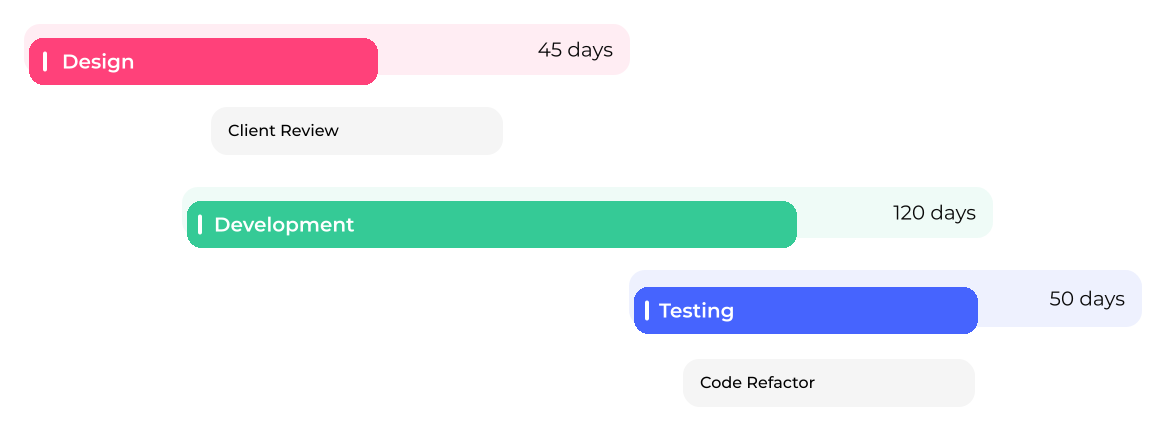
Duration7 months
june
july-november
december
TechsFigma, Android, Kotlin, Jetpack

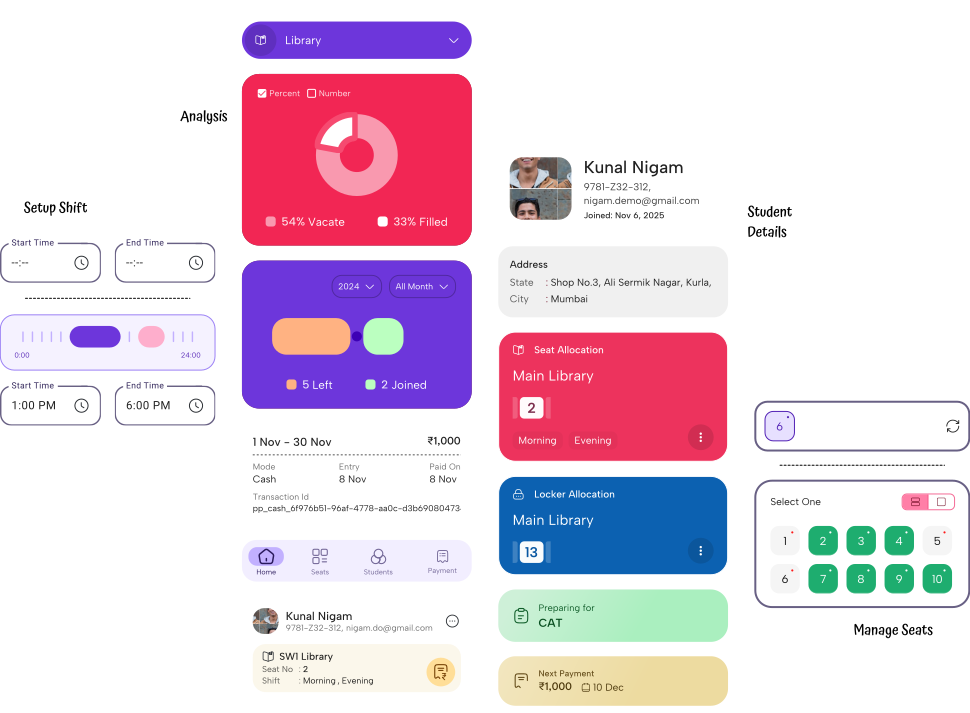
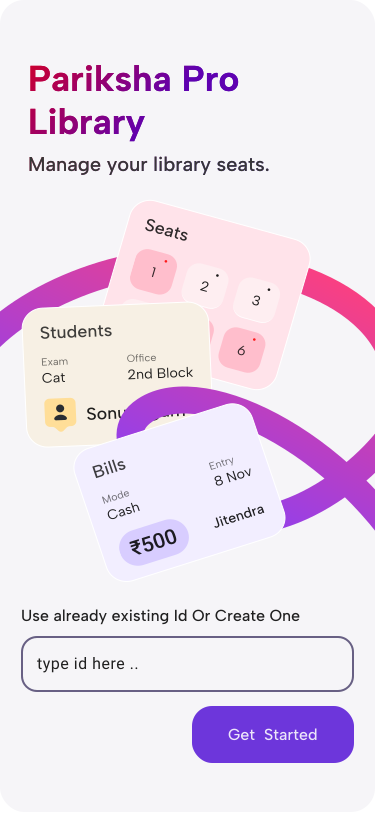
ParikshaPro mobile app was built to improve the overall experience of managing libraries and study centers.

The goal was to make everyday tasks faster, clearer, and easier than before.
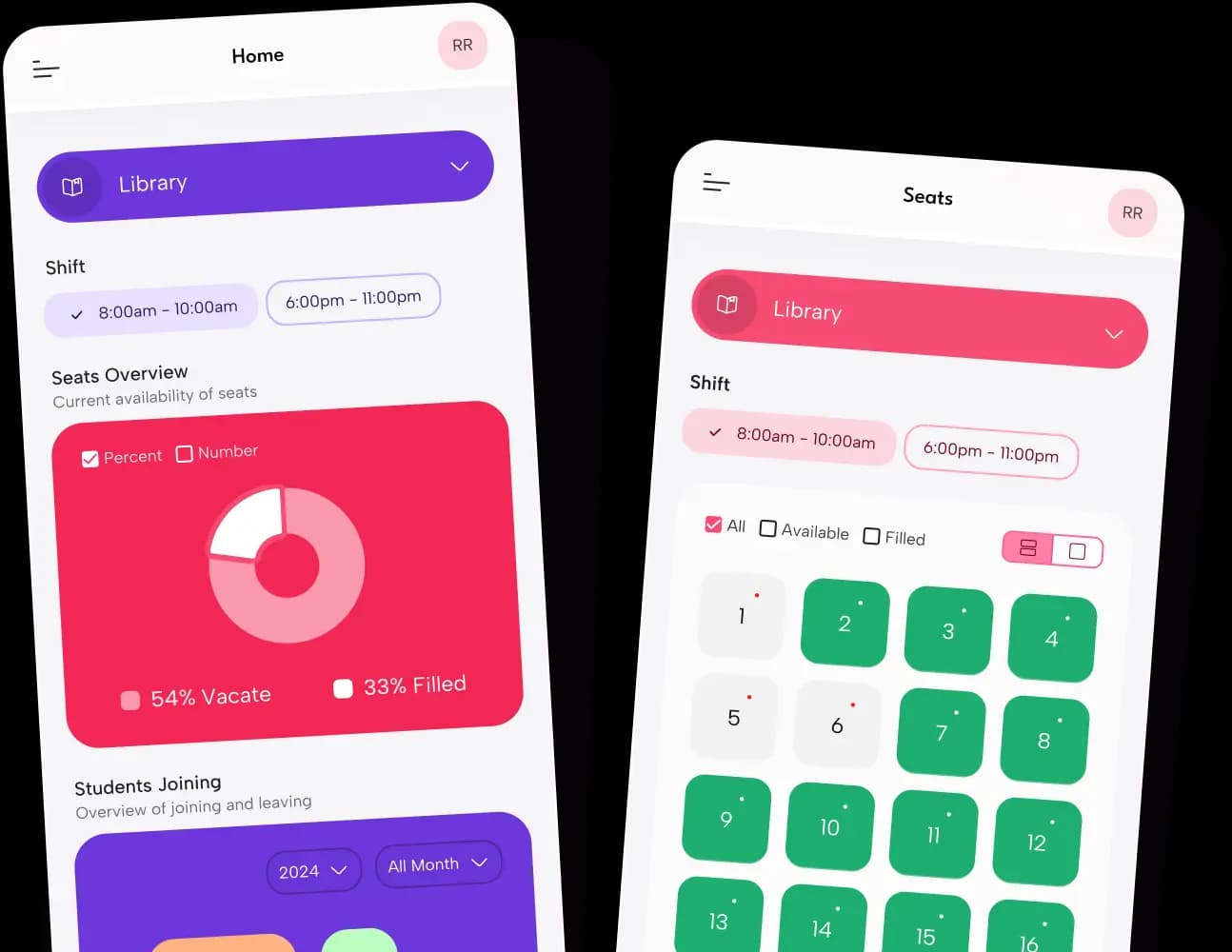
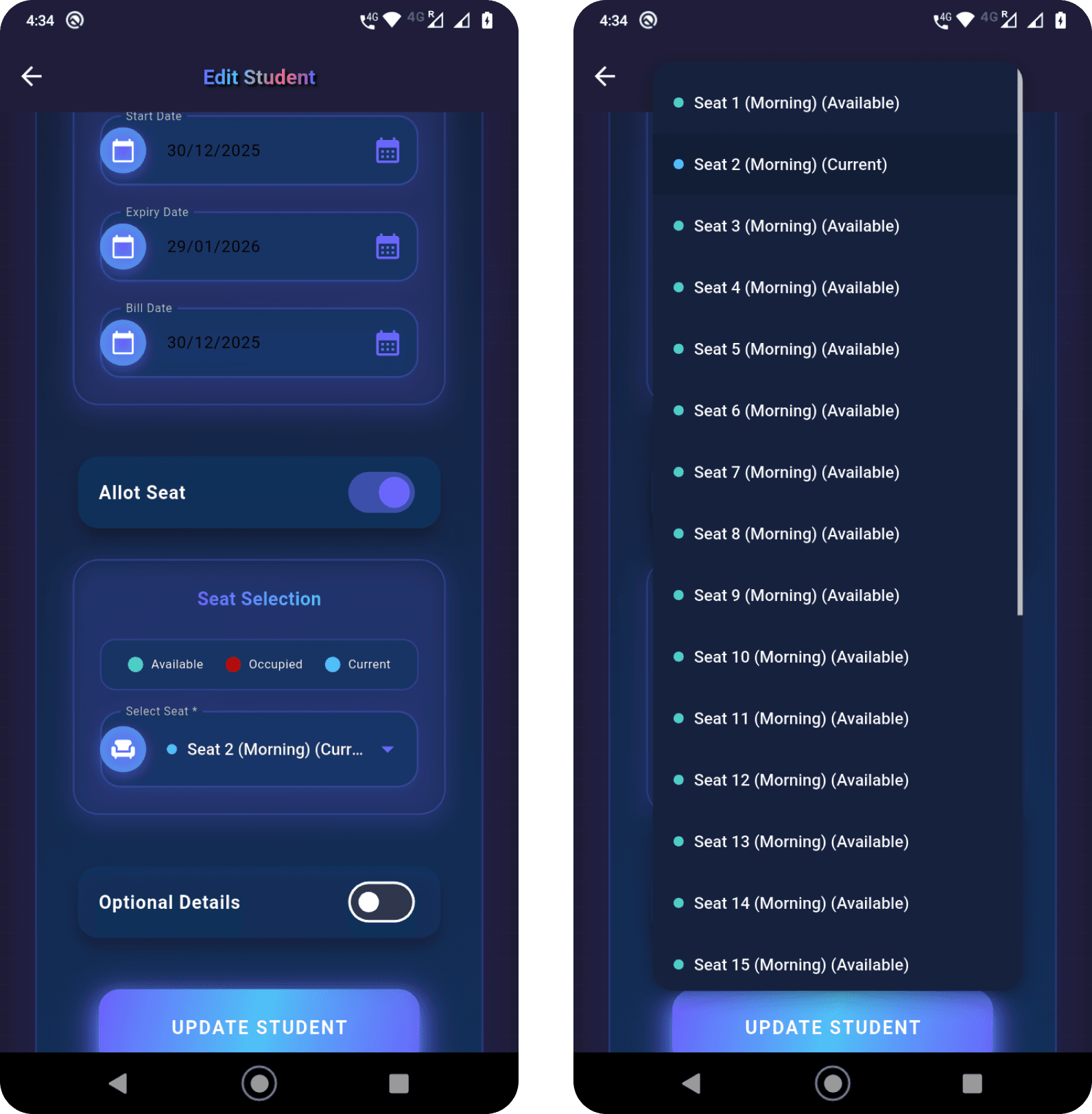
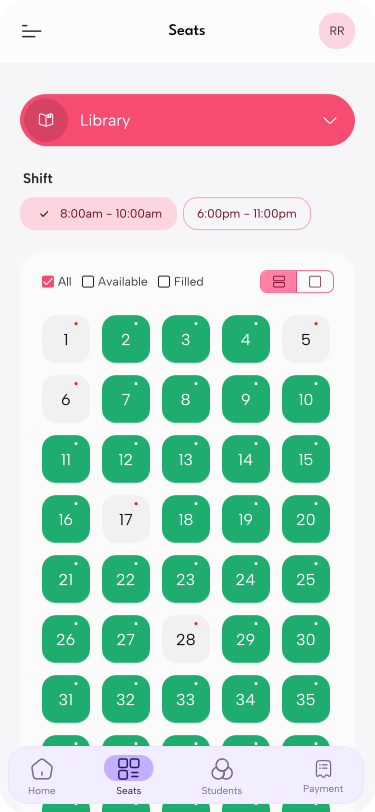
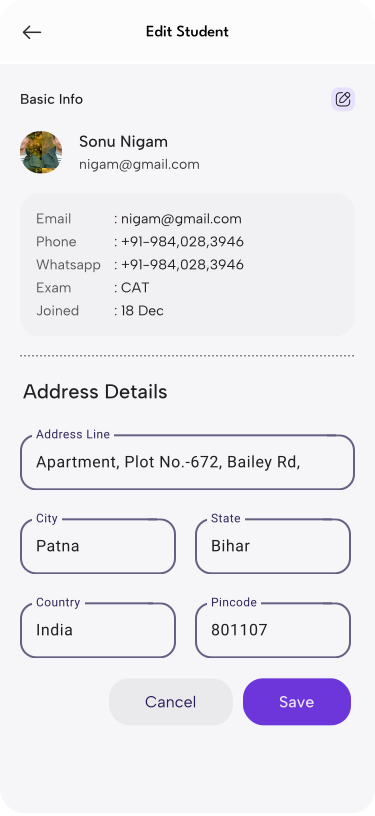
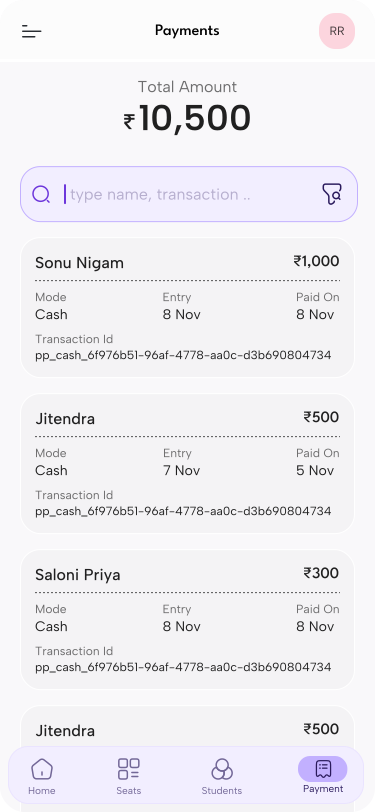
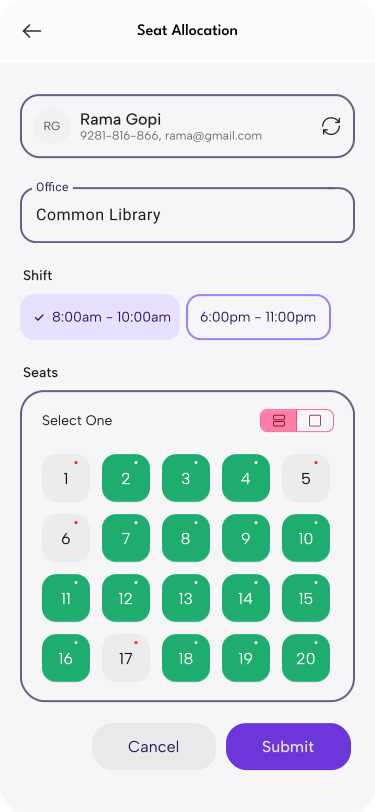
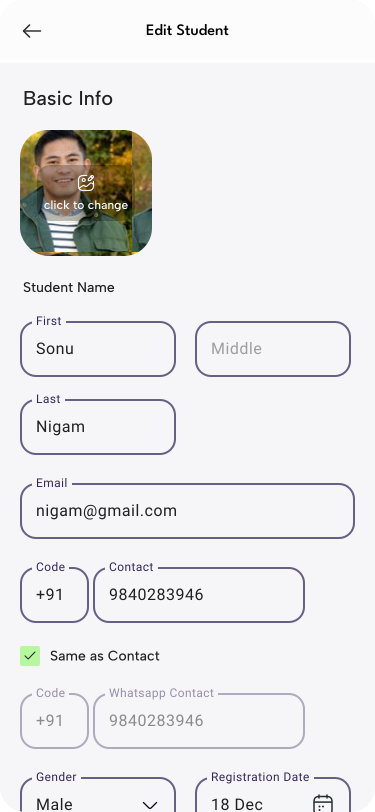
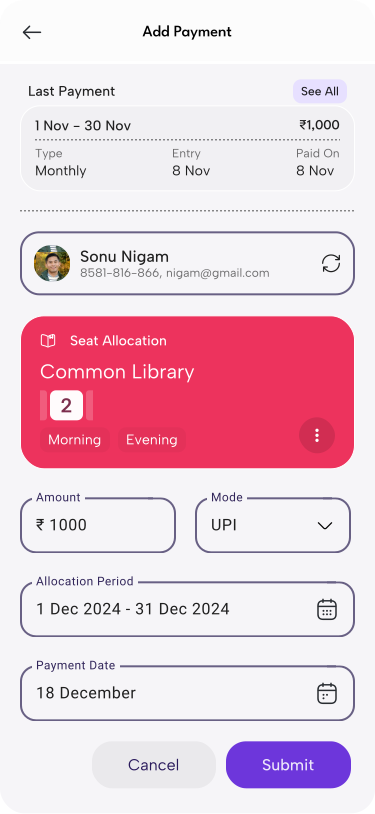
The app focuses on real daily actions like seat allocation, student entry, and payment tracking.

Design decisions were based on how owners and staff actually use the system on a phone.
The interface was kept simple so even first-time users feel comfortable.

The app was developed using modern Android tools to ensure smooth performance and reliability.

Overall, ParikshaPro turns complex library operations into a clean and easy mobile experience.

Challenges

Designing a mobile experience that is simple, reliable, and ready for daily use

Converting Paper-Based Workflows into Digital Flows

Most users were comfortable with registers and manual entries.
The challenge was to translate these habits into intuitive, app-friendly interactions.

Designing for First-Time and Non-Technical Users

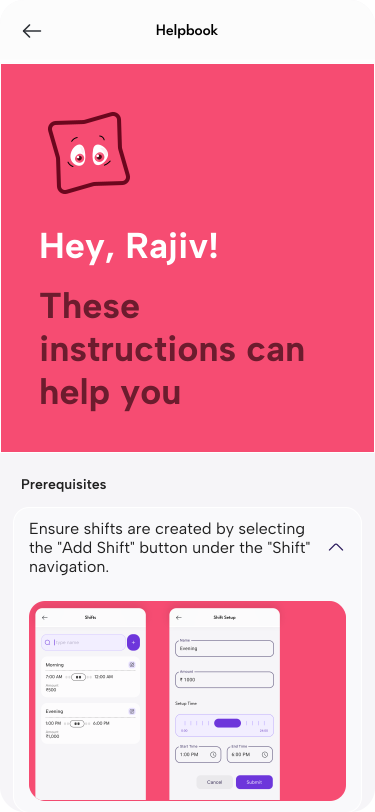
The interface needed to explain itself without training.
Every action had to feel obvious and easy to complete.

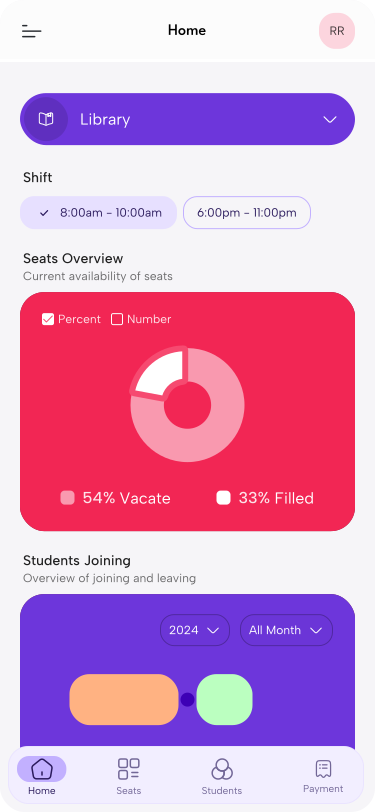
Showing Seat Status Clearly at a Glance

Seat availability changes frequently during the day.
The UI had to communicate status instantly without extra taps.

Balancing Simplicity with Core Features

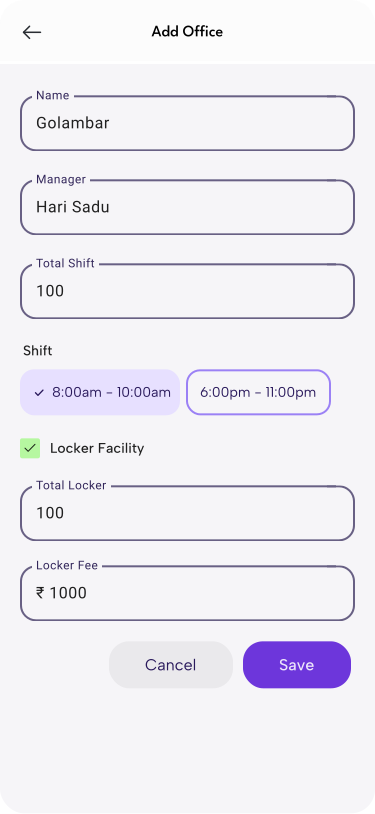
Payments, lockers, shifts, and multiple centers had to coexist without cluttering the interface.

Ensuring Smooth Performance on Android Devices

The app needed to remain fast and responsive, even on low-end Android phones.

Solution

Simplifying daily library management through a mobile-first experience

  • Manual register workflows were converted into clear and familiar digital flows.
  • Seat status, payments, and activity are shown with simple visuals for quick understanding.
  • Each screen focuses on a single task to reduce confusion and speed up actions.
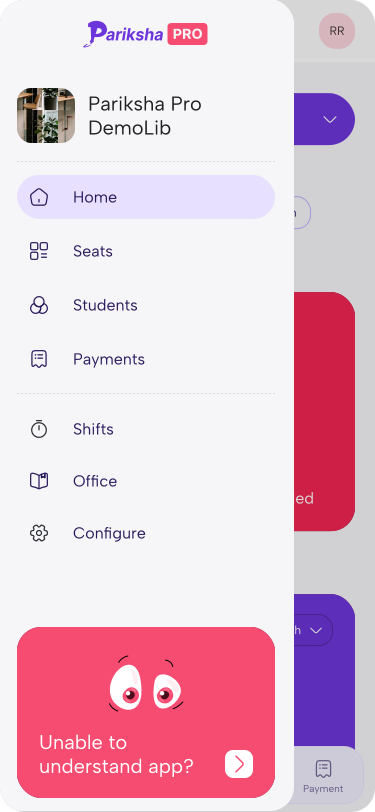
  • Core features like payments, shifts, and multi-center access are organized without clutter.
  • The app delivers a smooth and reliable experience on Android devices.

Design

Colors

Primary

50

#54E40B

90

#CDFBB5

TEXT

50

#161616

90

#B3B3B3

Styles

Colors
/assets/img/works/parikshapro/design_colors.svg
Elements
/assets/img/works/parikshapro/design_elements.svg

Custom Components

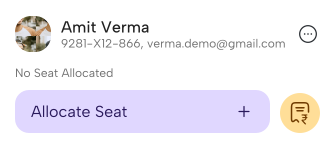
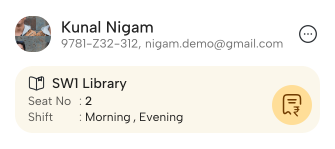
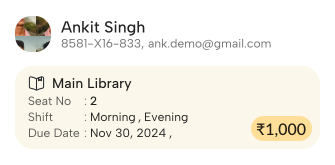
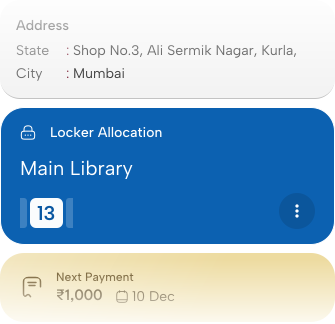
Designing Clarity, Actionable States

Reducing cognitive load through clear states, context, and next actions

No Library Assign
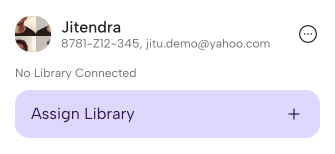
/assets/img/works/parikshapro/clarity_1.svg
No Seat Allocated
/assets/img/works/parikshapro/clarity_2.svg
If Seat Allocated
/assets/img/works/parikshapro/clarity_3.svg
Have Pending Payment
/assets/img/works/parikshapro/clarity_4.svg

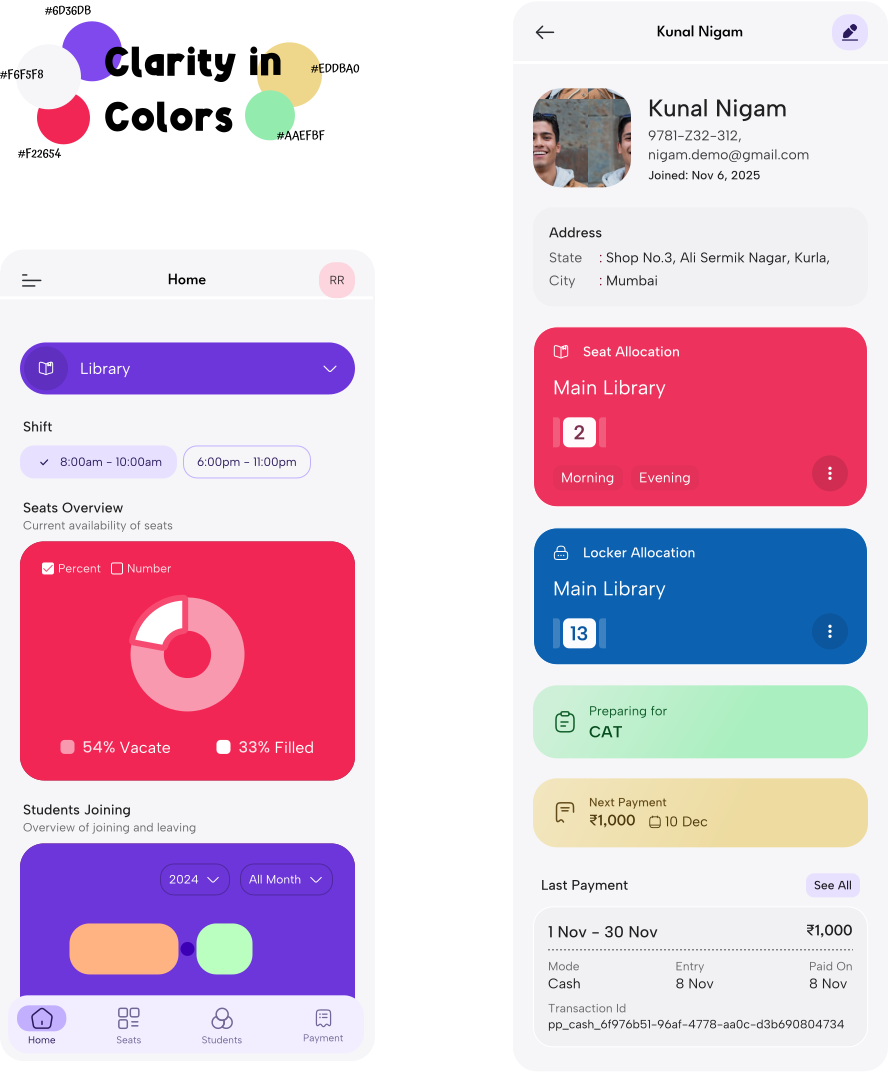
Color with Purpose

Using distinct color systems to clearly differentiate seat and locker allocations at a glance

Related to Seat
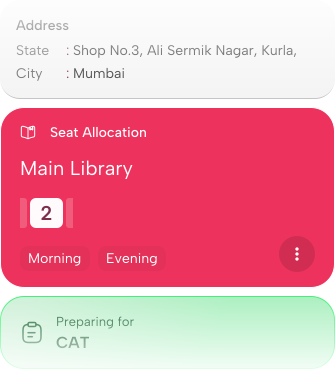
/assets/img/works/parikshapro/color_purpose_1.svg
Related to Locker
/assets/img/works/parikshapro/color_purpose_2.svg

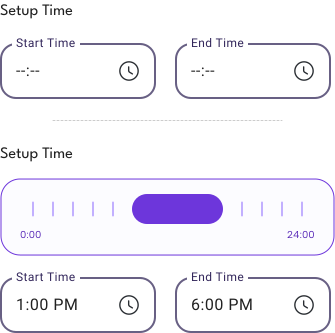
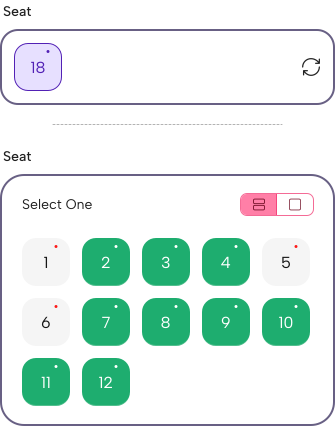
Customized Over Generic Inputs

Replacing generic form fields with visual and guide accurate selection

Seat input
/assets/img/works/parikshapro/customized_input_1.svg
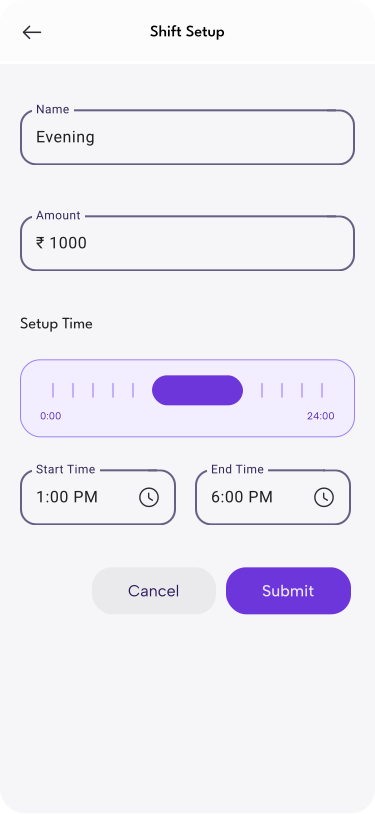
Time Slot Input
/assets/img/works/parikshapro/customized_input_2.svg

Compititors

No clear action hierarchy
/assets/img/works/parikshapro/compititor1_1.png
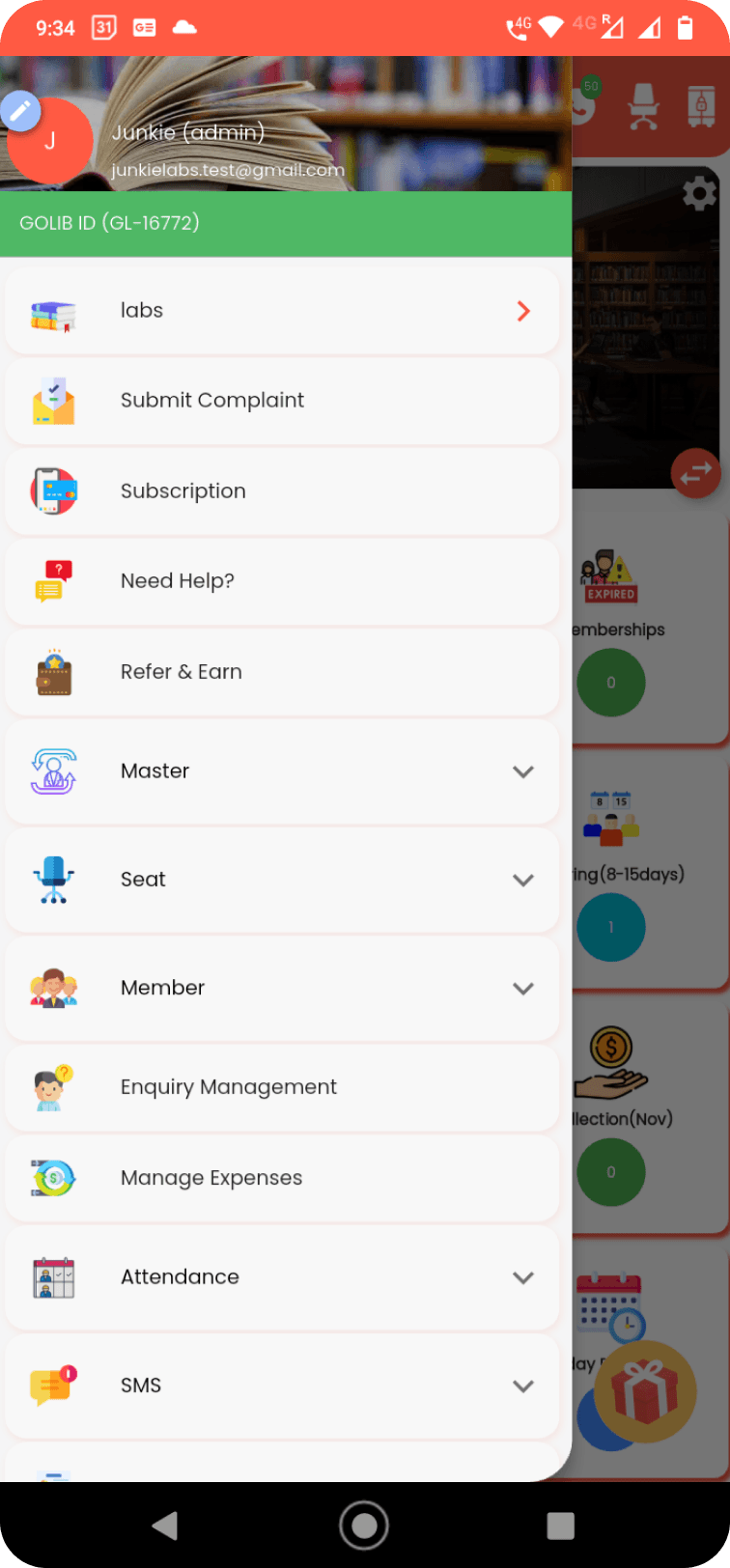
Flat, cluttered navigation
/assets/img/works/parikshapro/compititor1_2.png
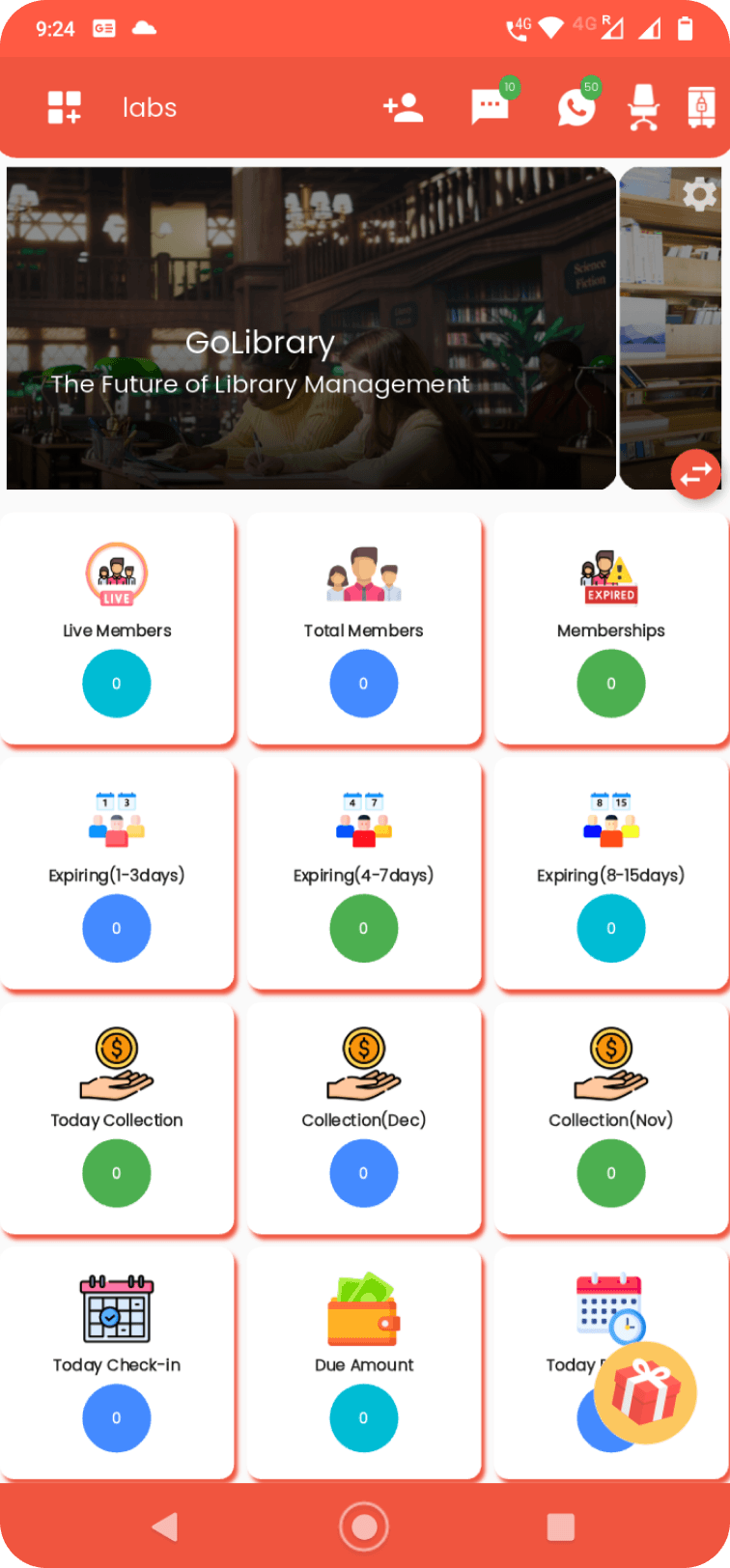
GoLibrary Library Manager App

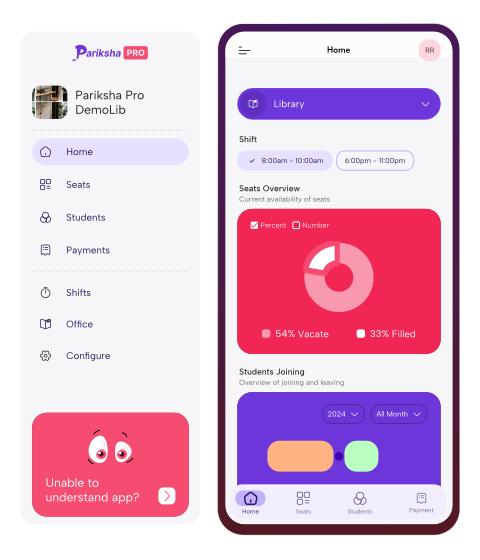
Lack of Hierarchy and Clarity Across Home and Navigation

Too many equal-priority metrics make the home screen hard to prioritize.

The navigation lacks clear grouping, increasing cognitive load and slowing access to key tasks.

Solution: Simplified home with Structured Navigation
/assets/img/works/parikshapro/compititor1_3.svg
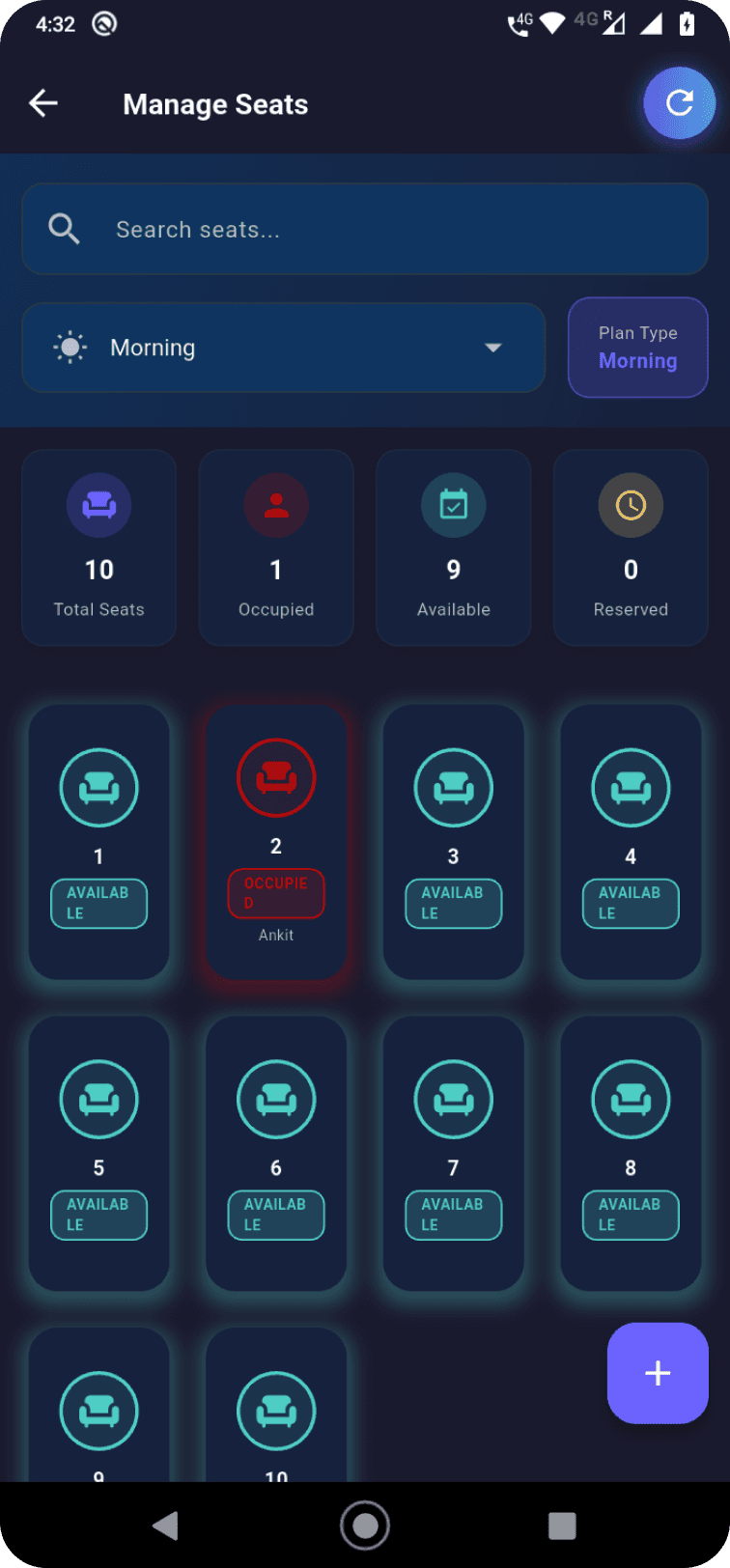
Visual noise slows seat scanning
/assets/img/works/parikshapro/compititor2_1.png
Hard to spot current seat
/assets/img/works/parikshapro/compititor2_2.png
Appu Library Management App

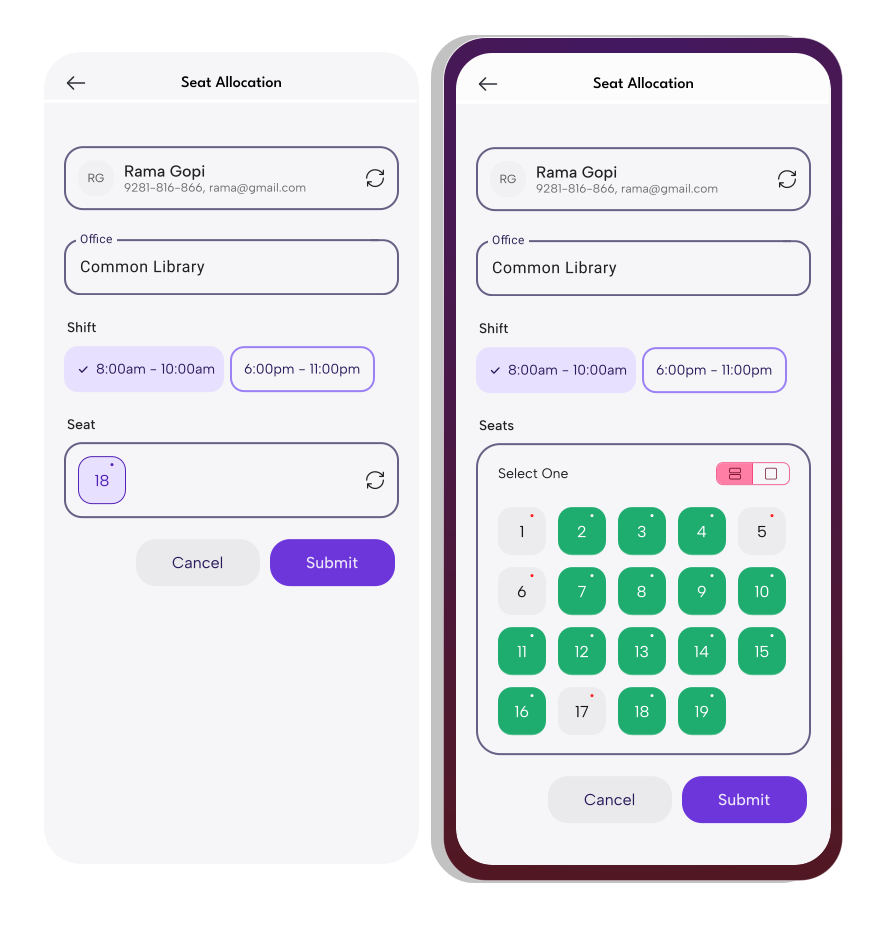
Visual clutter and text-heavy flows reduce clarity and decision speed

The home screen shows too many equal-priority elements, making key seat information harder to scan.

Navigation uses long, repetitive lists that slow actions and increase selection errors.

Solution: Clear visual seats, confident allocations
/assets/img/works/parikshapro/compititor2_3.svg

Development

Tech Stack

Different elements used in development
/assets/svg/icons/android_icon.svg
Android
/assets/svg/icons/jetpack_colored_1.svg
Jetpack Compose
/assets/svg/icons/kotlin_colored.svg
Kotlin
/assets/svg/icons/phonepe_colored.svg
PhonePe
/assets/svg/icons/firebase_colored.svg
Firebase
/assets/svg/icons/android_icon.svg
Android
/assets/svg/icons/jetpack_colored_1.svg
Jetpack Compose
/assets/svg/icons/kotlin_colored.svg
Kotlin
/assets/svg/icons/phonepe_colored.svg
PhonePe
/assets/svg/icons/firebase_colored.svg
Firebase

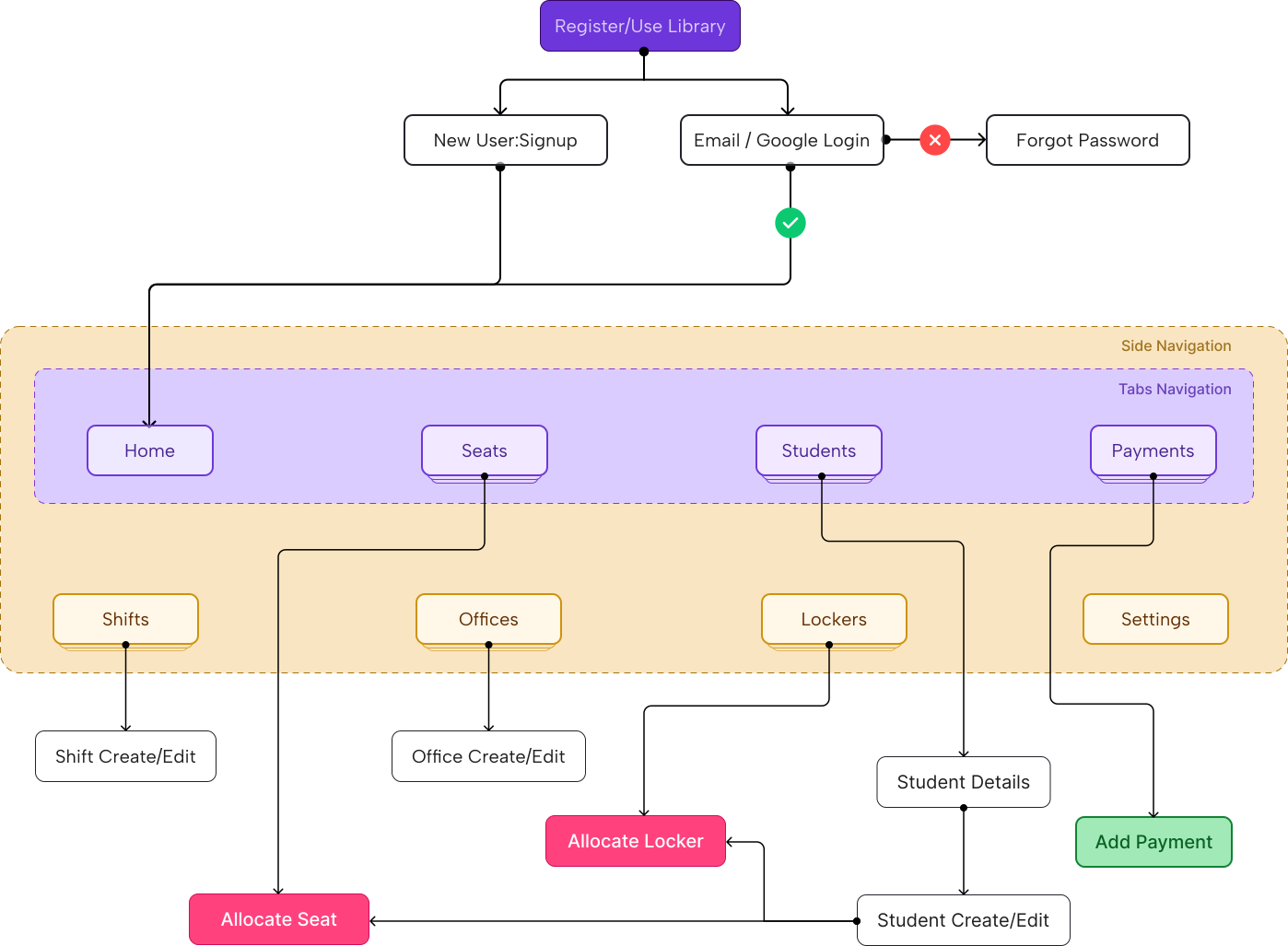
App Navigation

Simplified Navigation Flow
/assets/img/works/parikshapro/app_navigation.svg

Result

/assets/img/works/parikshapro/frame_01_create_library.svg
/assets/img/works/parikshapro/frame_20_seats.svg
/assets/img/works/parikshapro/frame_30_students.svg
/assets/img/works/parikshapro/frame_102_profile_edit.svg
/assets/img/works/parikshapro/frame_40_payments.svg
/assets/img/works/parikshapro/frame_50_navigation.svg
/assets/img/works/parikshapro/frame_601_office_edit.svg
/assets/img/works/parikshapro/frame_10_home.svg
/assets/img/works/parikshapro/frame_201_seat_edit.svg
/assets/img/works/parikshapro/frame_101_profile.svg
/assets/img/works/parikshapro/frame_103_profile_edit.svg
/assets/img/works/parikshapro/frame_401_payment.svg
/assets/img/works/parikshapro/frame_70_helpbook.svg
/assets/img/works/parikshapro/frame_701_shift_edit.svg
/assets/img/works/parikshapro/frame_01_create_library.svg
/assets/img/works/parikshapro/frame_201_seat_edit.svg
/assets/img/works/parikshapro/frame_102_profile_edit.svg
/assets/img/works/parikshapro/frame_401_payment.svg
/assets/img/works/parikshapro/frame_601_office_edit.svg
/assets/img/works/parikshapro/frame_10_home.svg
/assets/img/works/parikshapro/frame_30_students.svg
/assets/img/works/parikshapro/frame_103_profile_edit.svg
/assets/img/works/parikshapro/frame_50_navigation.svg
/assets/img/works/parikshapro/frame_701_shift_edit.svg
/assets/img/works/parikshapro/frame_20_seats.svg
/assets/img/works/parikshapro/frame_101_profile.svg
/assets/img/works/parikshapro/frame_40_payments.svg
/assets/img/works/parikshapro/frame_70_helpbook.svg
/assets/img/works/parikshapro/frame_01_create_library.svg
/assets/img/works/parikshapro/frame_30_students.svg
/assets/img/works/parikshapro/frame_40_payments.svg
/assets/img/works/parikshapro/frame_601_office_edit.svg
/assets/img/works/parikshapro/frame_10_home.svg
/assets/img/works/parikshapro/frame_101_profile.svg
/assets/img/works/parikshapro/frame_401_payment.svg
/assets/img/works/parikshapro/frame_701_shift_edit.svg
/assets/img/works/parikshapro/frame_20_seats.svg
/assets/img/works/parikshapro/frame_102_profile_edit.svg
/assets/img/works/parikshapro/frame_50_navigation.svg
/assets/img/works/parikshapro/frame_201_seat_edit.svg
/assets/img/works/parikshapro/frame_103_profile_edit.svg
/assets/img/works/parikshapro/frame_70_helpbook.svg
/assets/img/works/parikshapro/frame_01_create_library.svg
/assets/img/works/parikshapro/frame_101_profile.svg
/assets/img/works/parikshapro/frame_50_navigation.svg
/assets/img/works/parikshapro/frame_10_home.svg
/assets/img/works/parikshapro/frame_102_profile_edit.svg
/assets/img/works/parikshapro/frame_70_helpbook.svg
/assets/img/works/parikshapro/frame_20_seats.svg
/assets/img/works/parikshapro/frame_103_profile_edit.svg
/assets/img/works/parikshapro/frame_601_office_edit.svg
/assets/img/works/parikshapro/frame_201_seat_edit.svg
/assets/img/works/parikshapro/frame_40_payments.svg
/assets/img/works/parikshapro/frame_701_shift_edit.svg
/assets/img/works/parikshapro/frame_30_students.svg
/assets/img/works/parikshapro/frame_401_payment.svg
ParikshaPro: all-in-one study center management system for students, payments, and seats